
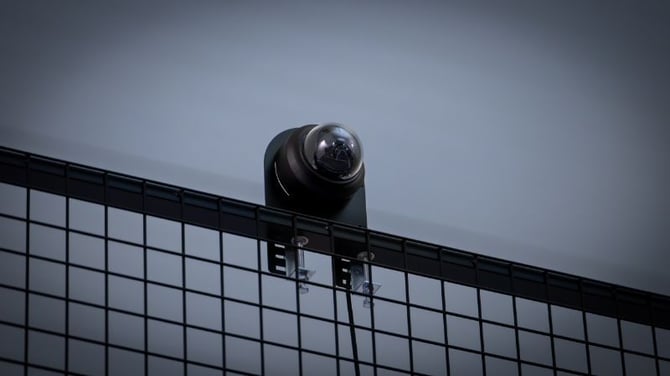
The Wingfield streaming camera delivers the live video stream of your match and is separate from the Dual Camera Module (only Wingfield AI Pro setup), which handles tracking. This guide covers different mounting options for different setups.
Preparation: Note the Serial Number / MAC Address
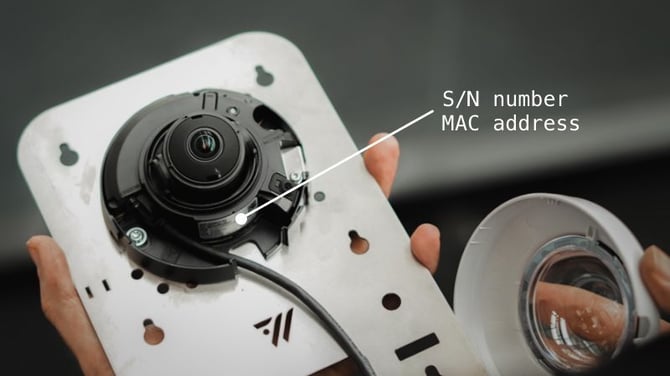
Before you start mounting, note down your camera's S/N number or MAC address — which one depends on your camera model.
- Remove the glass dome: Carefully detach the glass dome from the camera.
- Read the number: You'll find the SN number or MAC address on the label inside the camera.
- Write it down: Keep the number on hand — you'll need it later during the configuration step.
💡 Tip: The easiest way is to take a photo of the label with your phone, so the number is ready when you get to configuration.
Where you place your camera is up to you
The streaming camera can basically be placed wherever gives you the best view of your court. We provide mounting options for a standard installation — but depending on your desired perspective, the camera model (1080p vs. 4k) and what your individual conditions allow, you can get creative.
Below, we show you three options for standard mounting directly on the court. Beyond that, here are examples from customers with both standard and (self-)customized solutions.
a) On top of the crossbar / on top of the fence – bird's-eye view from above .
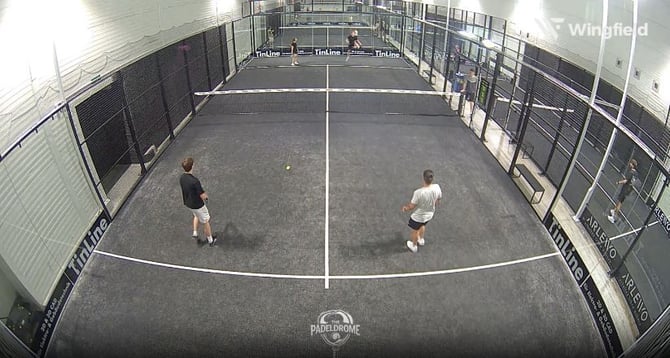
b) Below the middle crossbar – for a close-up view from a lower position through the glass.
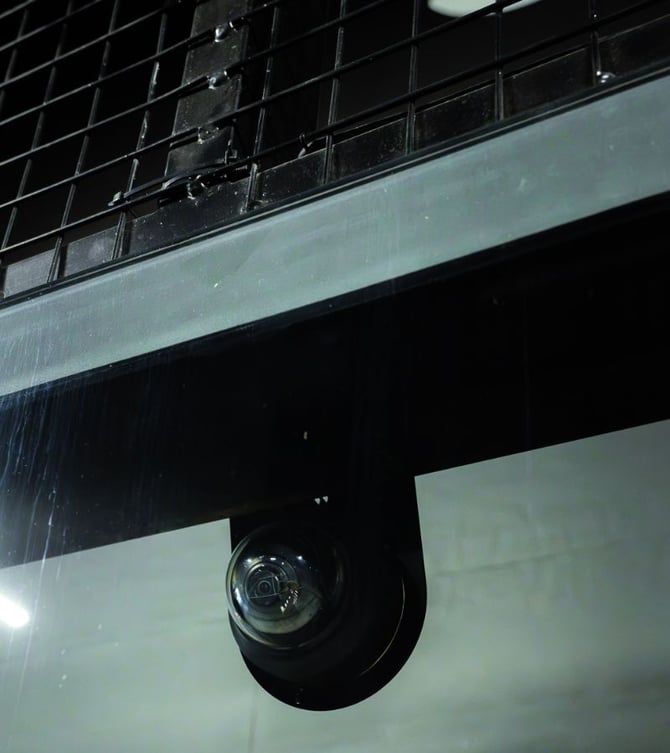
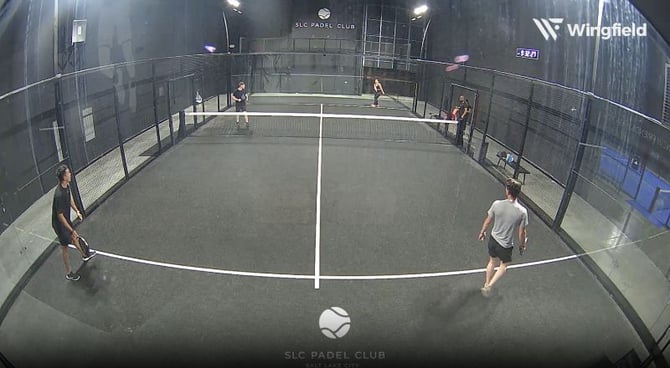
c) Custom solution (built by a customer) – e.g. a metal pole hanging from the ceiling, for a top-down perspective.
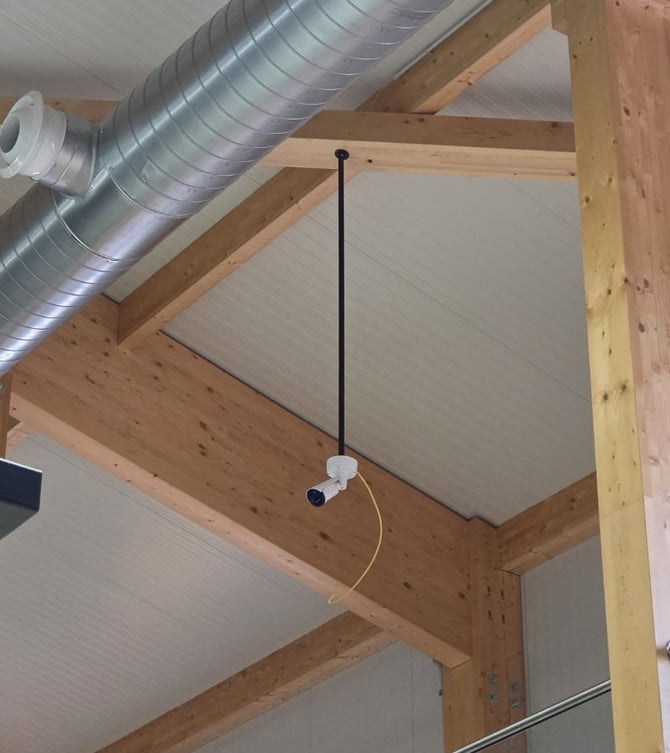
☝🏻 By the way: Examples like c) are community inspiration and custom-built — we don't provide a standard mounting solution for these.
Mounting options for your camera
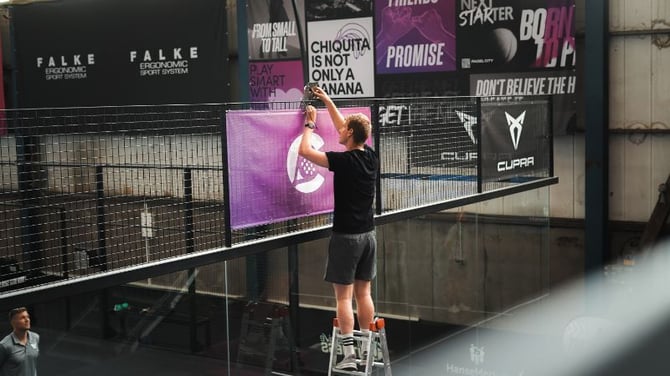
| Direct screw-in |
Permanent, long-term installation. Mount directly to the padel cage, a wall, or another suitable structure behind the court. |
| Screw clamps |
No drilling needed — this option may not work for bars that exceed standard dimensions. Measure your bar's diameter beforehand if you're unsure. |
| Cable ties | Most flexible — works with any bar width. To extend the cable tie and attach the camera to wider bars, simply connect two cable ties together. |
Connecting & Routing the network cable
Run the 20 m network cable from the camera to the PoE switch. For Wingfield Court setups with a court terminal, the PoE switch is typically mounted behind the screen.

Start by plugging the cable into the camera unit and securing it to the camera plate with a cable tie. Then route the cable along the padel court structure, securing it approximately every 2 m with cable ties.
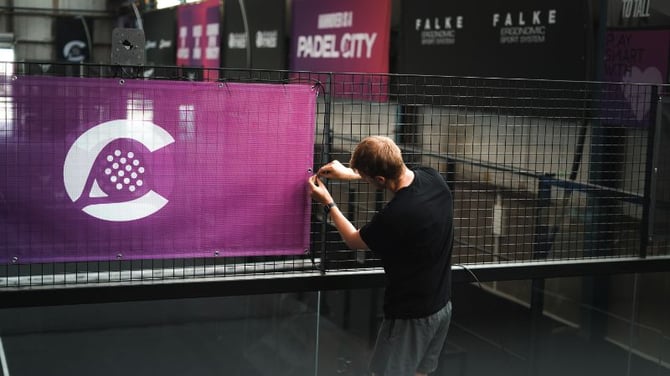
💡 Tip: Don’t fully tighten the cable ties at first. Leaving some flexibility makes it easier to adjust the cable routing and connect all devices before securing everything in place.
Align the Dome Camera
To align the streaming camera, you first need to remove the glass dome. Follow these steps:
💡 Tip: If your camera is already connected and configured, use the live camera feed to align the camera angle and perspective more easily.
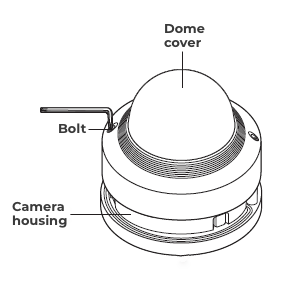
⚠️ Caution: You can only adjust the direction of the camera if it is mounted on the wall or to a fence.
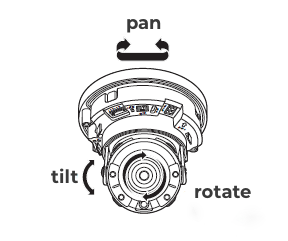 |
Pan = turning the camera to the left or right |
| Tilt = turning the camera up or down | |
| Rotate = rotating the lens around its own axis |
- Turn the two dome cover fixing screws anti-clockwise using the supplied Allen spanner to remove the cover.
- First adjust the tilt angle so that your desired image section is taken into account.
- Adjust the horizontal angle to ensure that the image is not upside down.
- Then adjust the tilt angle so that your desired image section is covered.
- Put the dome cover back over the camera and tighten the two fixing screws.
⚠️ Caution: Never forcefully rotate the focus/zoom lens after disassembling the lens body. Doing so may result in incorrect image focus due to a motor error.
What's Next?
Depending on your setup and the order in which you install the individual components, you can continue with one of the following guides:
- ➡️ Mounting the Court Terminal (Wingfield Cam+ and Wingfield AI Pro only)
- ➡️ Mounting the Dual Camera Module - Padel (Wingfield AI Pro only)
- ➡️ Running Court Calibration (Wingfield AI Pro only)
Stuck on-site and not sure what to do next? We've got you covered!
📞 Service hotline: 🇺🇸 +1 929 395 1078 | 🇪🇺 +49 511 51525901
💬 WhatsApp: click here
📨 E-Mail: service@wingfield.io